


|
Name |
Game Booster 4x Faster Pro |
|---|---|
|
Google Play Link |
GET IT ON
Google Play
|
|
Category |
Tools |
|
Developer |
G19 Mobile |
| Last version | 1.3.6 |
|
Updated |
|
|
Compatible with |
Android 4.1+ |
Introduction to Game Booster 4x Faster Pro APK
Game Booster 4x Faster Pro is an Android gaming utility app built to improve phone performance while you play. It focuses on reducing lag, keeping frame rates steadier, and helping games run with fewer slowdowns on mid-range or older devices. From the start, it feels aimed at players who want smoother matches without digging through a pile of phone settings.
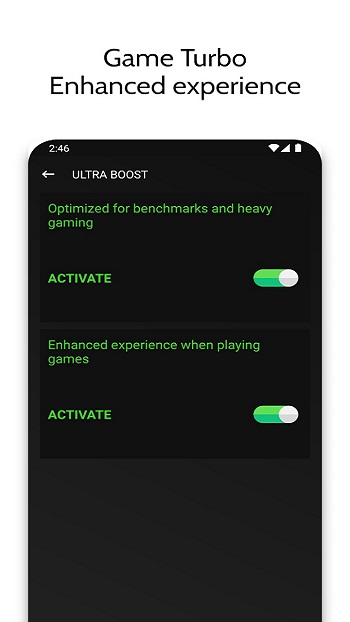
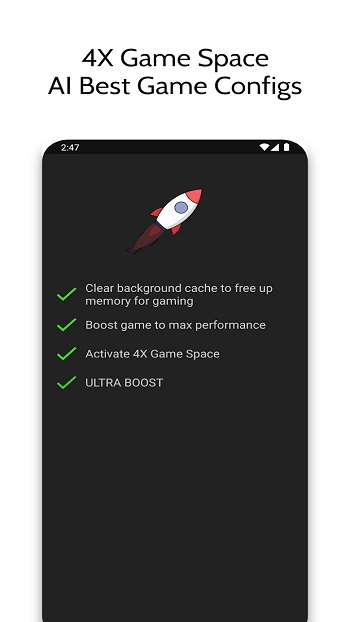
Its main job is simple: give games more room to run properly. The app analyzes device performance, clears unnecessary background load, and shifts system resources toward the game you open. It also includes a one-tap boost option, which is handy for people who want faster setup and less fiddling before a match.
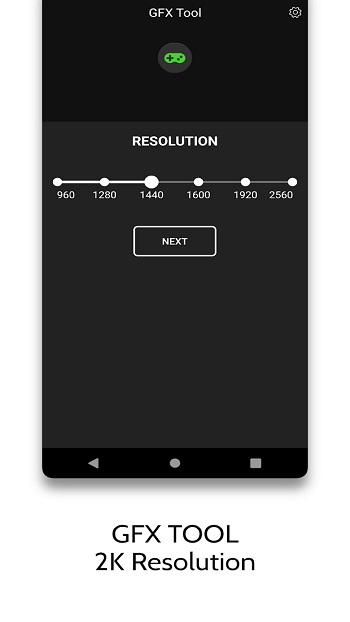
One of its biggest draws is Zero Lag Mode, which is designed to keep gameplay more stable during demanding moments. In busy shooters, racing games, or larger RPG battles, that can mean fewer stutters and better input response. There is also a GFX tool for adjusting settings like resolution, frame rate, and visual effects, so users can aim for better visuals or smoother motion based on what their phone can handle.
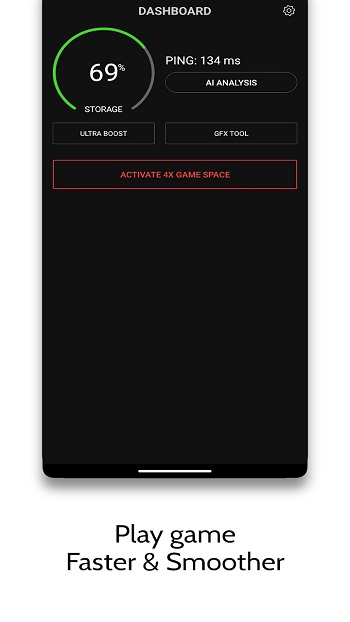
The app also adds practical extras that make it easier to manage performance while playing. A live HUD shows useful details such as RAM use, temperature, storage, and network latency. That kind of real-time info helps users spot problems quickly. If the phone is heating up like it just ran a marathon, you can usually tell before performance drops too hard.
The advantages are clear for people who play competitive mobile games or use budget phones. Matches can feel more stable, load times may improve, and the device may stay cooler during longer sessions. It can also help people who stream or record gameplay, since unstable performance tends to ruin both the game and the footage at the same time. The convenience matters too, especially for users who want quick results without learning technical tweaks.
There are still a few limits to keep in mind. Results will depend on the phone’s hardware, so the app cannot magically turn a weak device into a flagship. Some graphics options may push a phone too far if users set them aggressively, and extra permissions may feel like a lot for people who prefer a lighter setup. This app suits mobile gamers who care about smoother performance, lower lag, and easier control over graphics settings, especially in online matches or games that heat up a phone fast.
FAQs Game Booster 4x Faster Pro
What is Game Booster 4x Faster Pro used for?
+
It is used to improve Android gaming performance by reducing lag, clearing background load, stabilizing FPS, and giving games higher priority on your phone.
Does Game Booster 4x Faster Pro really help with lag?
+
It can help reduce lag on many devices by managing RAM, background apps, and graphics settings, though the results still depend on your phone’s hardware.
What features are included in Game Booster 4x Faster Pro?
+
Common features include Zero Lag Mode, AI-based optimization, a GFX tool, cache cleaning, FPS support, and a live monitor for temperature, memory, and network status.
Is Game Booster 4x Faster Pro good for low-end or older Android phones?
+
Yes, it is especially useful for low-end or older phones that struggle with heavy games, because it helps free resources and makes performance more stable.
Can Game Booster 4x Faster Pro improve graphics and frame rate at the same time?
+
It gives users controls to balance graphics and FPS, so you can choose smoother gameplay or better visuals depending on what your device can handle.
Discover More Interesting Apps
-

VPN.lat
v3.9.47
60.98 Mb
Updated -
Mod
Djezzy
v3.0.8
36.01 Mb
Updated -
Mod
ShareBox
v1.3.5
77.82 Mb
Updated -
Face Search AI
v3.2.2
52 MB
Updated -
PDF Editor
v6.2.7
58.07 Mb
Updated -
APK Editor Pro
vv50.0.7
13.84 Mb
Updated -
Mod
Nzb360
v24.4.1
18.09 Mb
Updated -
Mod
3X VPN
v5.6.395
53.30 Mb
Updated -
App Hider
v3.10.4_7f0b7dea9
35.50 Mb
Updated -
Mod
UgPhone
v1.3.9.8
119.76 Mb
Updated










Share Your Thoughts